
A Handy Cheat Sheet for Essential Computer Keyboard Shortcuts
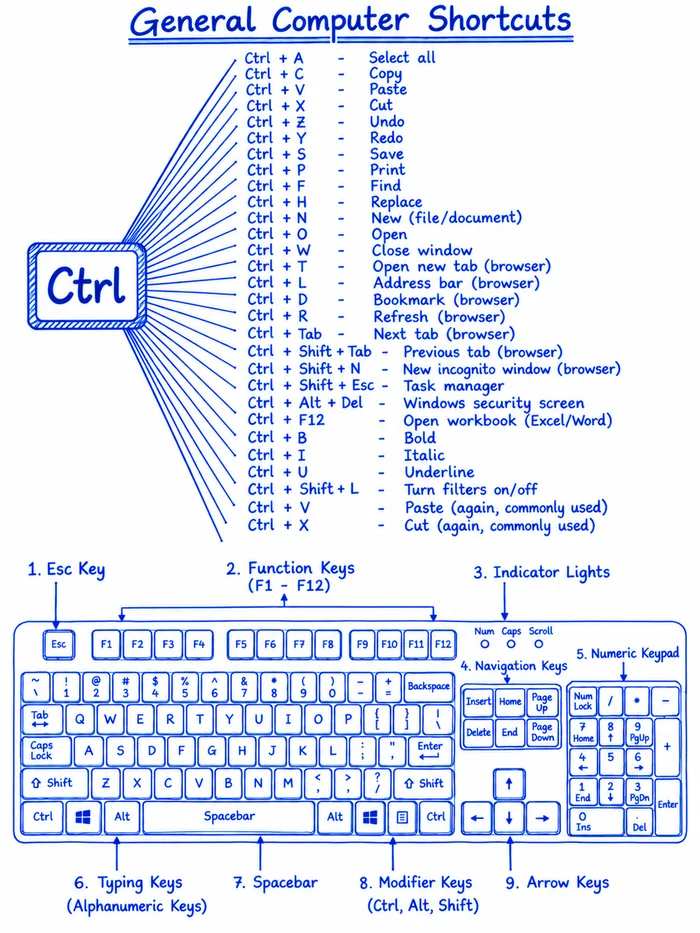
This visual guide provides a comprehensive breakdown of common computer keyboard shortcuts, specifically focusing on functions triggered by the Control (Ctrl) key. The infographic lists various combinations for tasks like selecting all, copying, pasting, undoing, and managing browser tabs. Additionally, the image includes a labeled diagram of a standard QWERTY keyboard, identifying key sections such as the function keys, navigation keys, numeric keypad, and modifier keys. This reference is useful for users looking to improve their workflow efficiency and navigate software applications more effectively using keyboard commands.


They didn't too through the alt+number for char sequence
Ah so there's the spacebar, thanks for helping!
Windows Key + E = new explorer window Ctrl + Shift + Esc = Task manager
Use, and never save again.
But where's the ANY key?
AI slop, started with cut copy paste, ended with paste and cut
Some more Windows key + L = lock your screen Windows key + pause/break = system info
my favourite, CTRL + Shift + T, it opens previously closed tabs in your browser
I was looking for those arrow keys for decades OP, thank you.
My righr ctrl key on my new work-issued laptop was replaced with an AI key that opens copilot. Sigh.